
Résoudre les problèmes de mauvaise rotation des photos dans l'Explorateur Windows
Microsoft a finalement publié un correctif pour un problème de rotation. En effet, vous auriez pu expérimenter avec PhotoLikr et la fenêtre de prévisualisation de Light Image Resizer ce problème, alors que la sortie finale est correctement traitée. La façon la plus simple de vérifier si vous avez un problème d’orientation est de vérifier si une photographie portrait a été mal tournée. CR2, CR3, RAF ou tout format d’appareil photo numérique brut pouvaient être impactés.
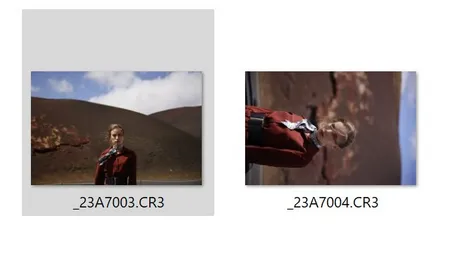
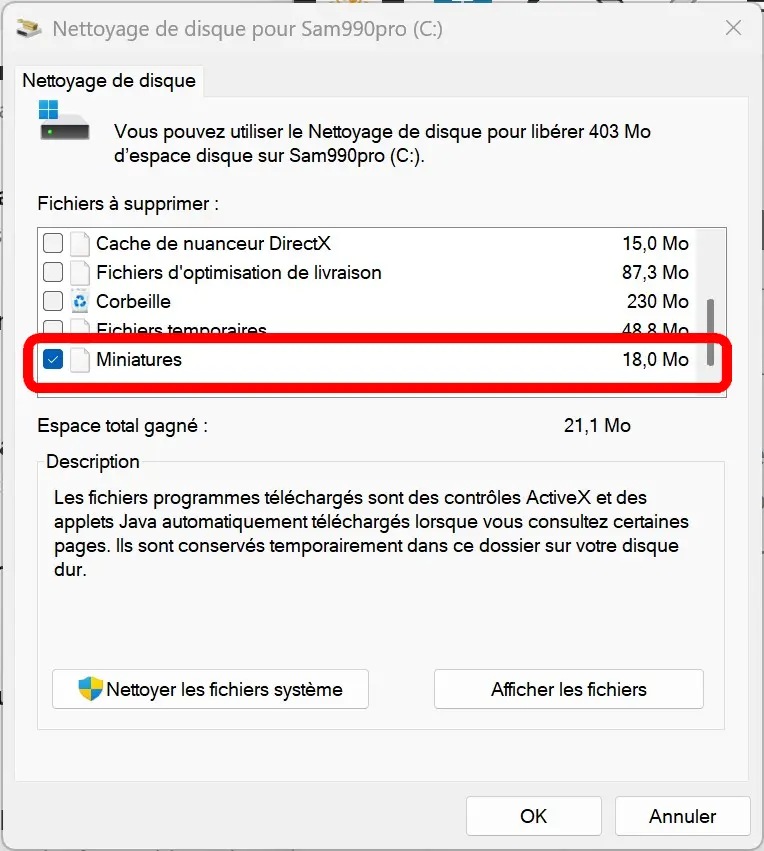
Après la correction, vous devez toujours exécuter l’outil de nettoyage de disque. Utilisez la dernière option des fichiers pour supprimer : vignettes. Cela forcera les vignettes de l’explorateur Windows à être à nouveau mises en cache.
Vous pouvez trouver des informations sur les correctifs dans le blog de Microsoft
KB5046740 Journal des modifications 14 novembre 2024
2 mentions sont intéressantes :
[Images au format RAW] Corrigé : Ils s’affichent dans la mauvaise orientation.
[Fichiers JPG] Correction : Vous ne pouvez pas utiliser une API pour trouver des informations de rotation.
Alors peut-être que le problème n’était pas la mise à jour du Mise à jour de l’appareil photo RAW Mais les fichiers du système d’exploitation eux-mêmes qui provoquent une mauvaise rotation dans l’explorateur Windows.
Exécutez Windows Update ou consultez la documentation. Si vous rencontrez ce problème, il est important de nous contacter, car il existe de nombreux formats de fichiers ; plus vite nous en aurons connaissance, plus vite le logiciel Obviousidea pourra trouver une solution de contournement. Veuillez contacter l’équipe d’assistance Obviousidea avec une capture d’écran et une description du problème.
Orientation tels que le portrait et le paysage de la ligne sont disponibles dans les informations exif fournies par le fabricant d’appareils photo numériques. Les informations pouvaient être lues par le système, comme l’extension Windows, ou par certains fichiers de base comme directement par le système d’exploitation Windows. Obviousidea peut utiliser sa propre bibliothèque ou une bibliothèque tierce, un aperçu JPEG intégré, une bibliothèque ImageMagick. Le problème de rotation des miniatures incorrectes dans l’explorateur Windows est complexe car il existe tellement de versions différentes de Windows. La dernière version principale de Windows est en 24H2.
PhotoLikr et orientation des photos
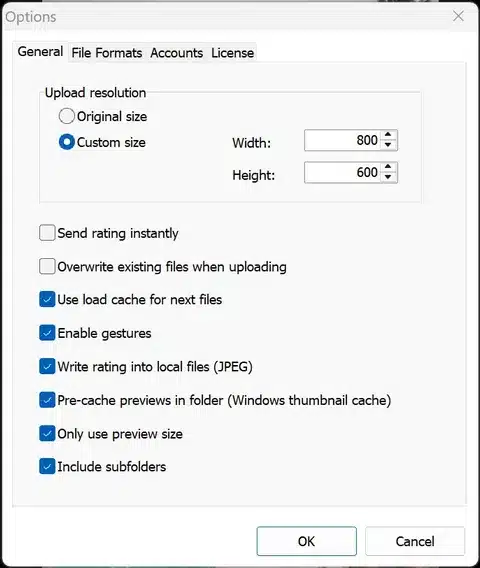
Avec tous les paramètres disponibles dans Photolikr (re)viewer , vous pouvez contrôler le comportement de l’affichage de vos photos.
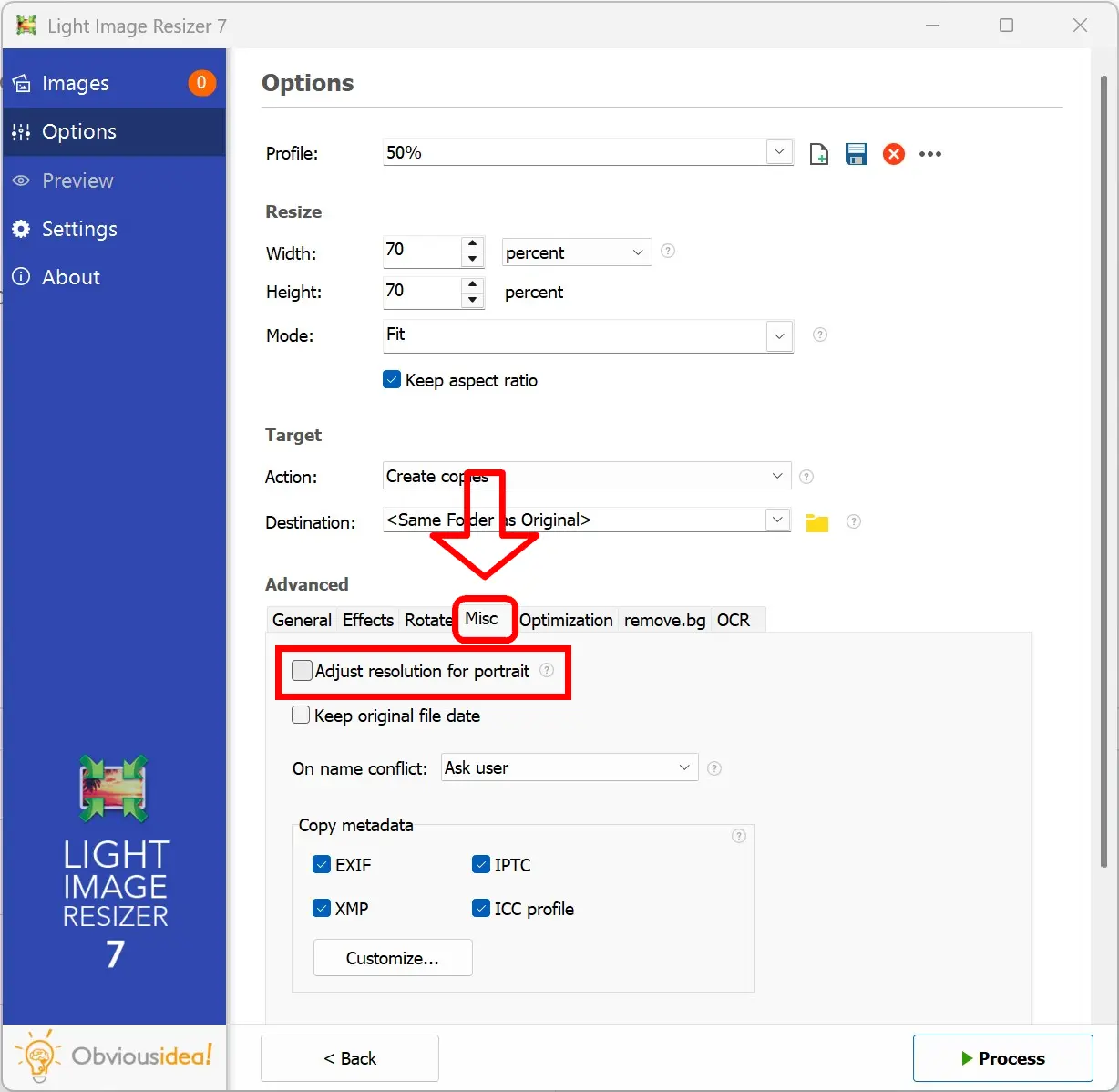
Redimensionneur d’image léger et rotation du portrait
Avec Light Image Resizer, vous pouvez convertir toutes vos photos sans perte de qualité. Au lieu d’utiliser l’orientation Exif lors de la visualisation de l’image, vous pouvez reconvertir complètement le pixel à l’aide de l’option portrait . Aller à l’onglet Divers -> Ajuster la résolution pour le portrait
Si vous avez des conseils, une expérience à partager sur la mauvaise orientation des images dans l’Explorateur Windows, nous contacter
!