
WIC Codec Pack for Digital Camera (RAW format)
Vous avez un appareil photo numérique numérique DSLR tel que Canon, Fuji, Nikon, Sony, Panasonic et vous photographiez en format RAW, un codec WIC approprié est nécessaire pour lire ces fichiers RAW dans l’Explorateur de fichiers Windows. Sans codec WIC, vous ne verrez pas de vignettes de photos et ne pourrez pas les voir avec un logiciel sans support natif.
From Windows 10 and Windows 11, the WIC codec is now referenced as extension in the Microsoft Store.
If you are looking for technical information about Windows Image Component (WIC), we recommend to read the Wikipedia article.
You can check with your camera manufacturer if they offer a codec for your model. Update November 2024: after investigation, the default support is the Raw Image Extension listed below.
As a simple solution we recommend the Fast Picture Viewer Codec, ce qui permet non seulement de lire la plupart des fichiers RAW, mais aussi d’optimiser la vitesse de lecture et l’orientation des images des vignettes JPEG sous Windows. Mise à jour novembre 2024 : le logiciel n’est plus maintenu, donc CR3 ou les formats bruts récents ne seront pas pris en charge. Nous avons contacté l’auteur au sujet de l’état de l’application, car Microsoft ne semble pas intéressé à offrir un bon support pour les formats modernes.
Buy FastPicture Viewer WIC Codec, which will read most photo formats and also fix the JPEG rotation in thumb view of Windows Explorer. Supports all Windows versions from Windows XP SP3 to Windows 10 (32 and 64 bit).
Free alternatives by format
Windows 10 et Windows 11: Raw Image Extension from Microsoft adds support for images captured in raw file formats by many digital DSLR cameras. Requires Windows 10 May 2019 Update (version 1903) or later.
Windows 7: Microsoft Camera Codec Pack is a free alternative from Microsoft to support digital camera formats (such as Canon, Nikon, Panasonic, Sony etc.) in your photo editing software. Supports Windows 7 and Vista (SP2).
DNG WIC codec extension
You can try this one, Ardfry is active and will release a new version in Dec 2024:
DNG Codec version 1.2.0.0 from http://www.ardfry.com/dng-codec/
WebP WIC codec extension
WebP is getting more popular and is a standard for web and internet website. Recommended and supported by Google, the support in Microsoft Windows is free but limited. The good news is you can download the WebP extension in the Microsoft store for free. Rating 2.3 / 5 in November 2024.
HEIC Wic codec extension
HEIC signifie (High Efficiency Image Format) est un nouveau format d’image disponible sur Apple et certains appareils Android afin d’optimiser des photos de haute qualité en tailles plus petites comparées aux formats traditionnels comme le JPEG. C’est l’un de nos formats préférés, car il est compatible avec la recherche Windows utilisant les champs Exif et IPTC.
In Microsoft store, search for HEIF and HEVC, you need these 2 extensions , but in recent build of Windows 24h2, it could be already installed by default.
Here the links : HEIF extension et HEVC Video Extension
AVIF codec extension
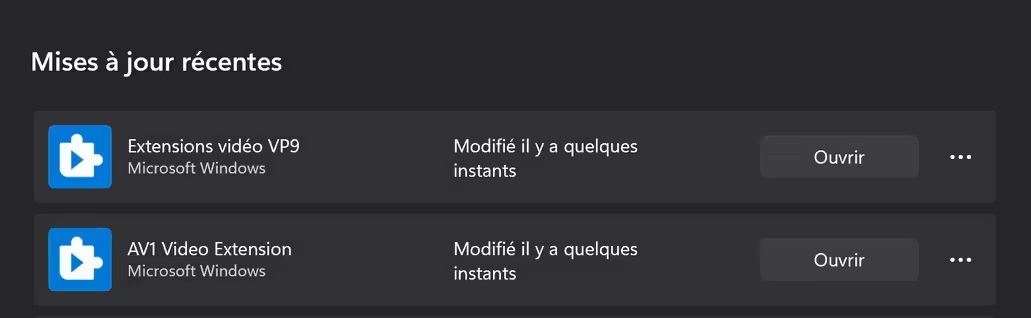
AVIF is also a popular format supported by Light Image Resizer for reading and writing. If you want to convert or output to AVIF, just install our free ImageMagick plugin. AVIF est spécial car c’est un format d’image fixe basé sur l’encodage vidéo AV1. Nous ferons d’autres tests à l’avenir pour voir comment cela fonctionne avec Windows 11. Cette extension est notée 3,5/5 en novembre 2024. C’est l’une des extensions photo Windows les mieux notées du Microsoft Store.
Télécharger AV1 Video Extension
PS: This file is a .avif converted by Light Image Resizer
JPEG XL codec extension
This format is the newest available, natively supported by Mac OS but not by Microsoft Windows. On Windows 11 you can install the new JPEG XL extension by Microsoft:
JPEG XL Image Extension
An alternative, even if it’s slow and doesn’t read metadata fields (latest version 0.10.2):
https://github.com/saschanaz/jxl-winthumb
If you need a JPEG to JPEG XL converter, download Light Image Resizer (from version 7.1)
If you have any problem with a file format to be supported by our application, please nous contacter