Easy Photo Uploader for Facebook
Aufgrund von Änderungen in der Facebook-API kann Easy Photo Uploader nicht mehr in Benutzeralben hochladen.
Schau es dir an PhotoLikr als Alternative, um auf Dropbox hochzuladen.
 For those who are searching for a way to upload Facebook photos without the hassle of logging to Facebook through your browser, ObviousIdea has a wonderful Facebook Photo Uploader for you to upload Facebook photos as quick and easy than an iPhone or Mobile app.
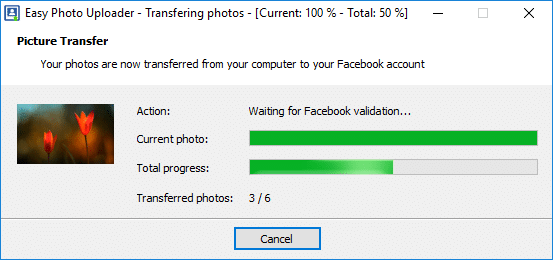
Easy Photo Uploader for Facebook is a software that re-sizes and uploads images to Facebook without having to log in through your browser. Because the photos are re-sized on your computer with the optimized re-sizer, you can upload pictures to Facebook faster than Facebook’s applet. With the WIC-Codec Für RAW-Fotoformate unterstützt der Facebook Photo Uploader deutlich mehr Formate als die Konkurrenz. Der WIC-Codec wird von Digitalkameraherstellern bereitgestellt.
Windows 7 · 8 · 10 · 11
Easy Photo Uploader herunterladen
100% sauber – Keine Adware, keine Spyware, virengeprüft
Eine kurze Anleitung zum Hochladen von Fotos auf Facebook
Schritt 1 – Wählen Sie Ihre Bilder aus dem Datei-Explorer und klicken Sie die Auswahl mit der rechten Maustaste an, um die Optionen anzuzeigen

Schritt 2 – Wählen Sie Ihr Facebook-Konto aus oder geben Sie Ihre Facebook-Login-Daten und Ihr Passwort ein.

Schritt 3 – Wählen Sie das Album aus, in das die Bilder auf Facebook hochgeladen werden sollen. Der Facebook Uploader kann auch verwendet werden, um ein neues Album zu erstellen, ohne auf das Facebook-Kontrollfeld zugreifen zu müssen.

Your Facebook Photo Upload is now finished. That’s all you have to do to upload Facebook pic! Click next and the Facebook Picture Uploader will re-size and post all the pictures into your Facebook album. Uploading photos to Facebook has never been as easy! Use the Facebook upload photos application from ObviousIdea.