
Light Image Resizer
Easily convert images, photos and pictures with ObviousIdea’s Light Image Resizer and image converter software. Simple and easy, resize and convert images, one by one or in batch mode. Bulk Images convert with a prebuilt collection of presets. Create your own profiles without programming. Include a free pic collage maker app. Capture screenshot with automatic OCR. Extract text from jpg.
Light Image Resizer – ObviousIdea’s all-time best seller, Millions of images have been resized with our software!
– previously called ‘VSO Image Resizer’
The program is available for all Windows computers. Just right click to resize images as copies or continue to work on the originals. Then simply share your resized images and collages online with friends.
Wersja 7.3.0.120 · 44 MB · Wymagania Systemowe
Krótka prezentacja
Cechy
- Resize images, resize pictures and resize photos – compress, convert, and easily create copies
- All common image formats are supported, details see below (“Obsługiwane formaty“)
- Wystarczy kilka kliknięć, aby stworzyć piękne kolaże lub układy dla mediów społecznościowych
- Skalowanie i konwertowanie wielu obrazów jednocześnie
- Create e-mail friendly images or use them for internet publishing (optionally with optimized compression)
- Sort, rename or dodawaj znak wodny aby chronić swoje zdjęcia przed kradzieżą
- Choose from a wide range of pre-defined profiles (like 1K, 2K, Email) or create your own
- Easily convert between image formats (for example JPEG to PNG, or vice versa)
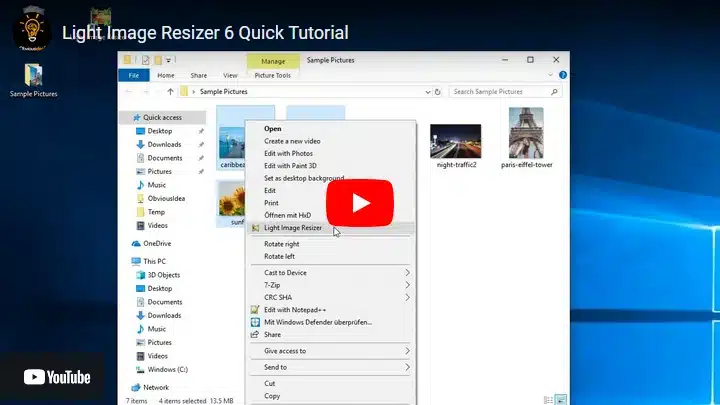
- Integracja powłoki, aby dodać ulubione profile bezpośrednio do menu kontekstowego systemu Windows
- Create JPG to PDF or PDF documents from your images, or vice versa
- Wystarczy kilka kliknięć, aby stworzyć piękne kolaże lub układy dla mediów społecznościowych (see video…)
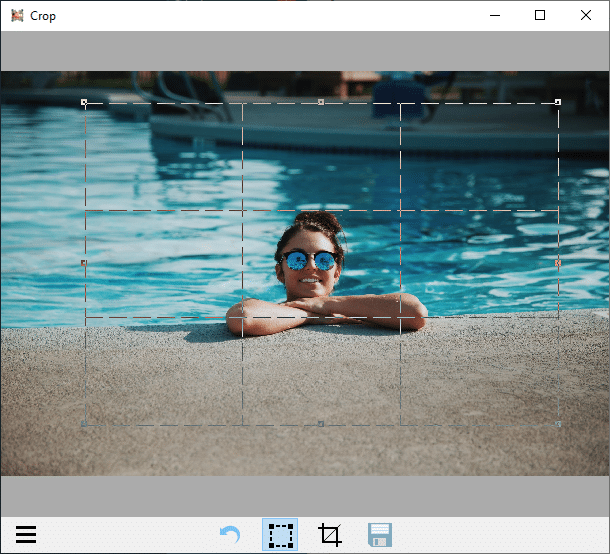
- Take screenshots or perform common editing tasks like adding text, highlight, blur, and more with the new included Light Image Editor
Zmiana rozmiaru i konwersji
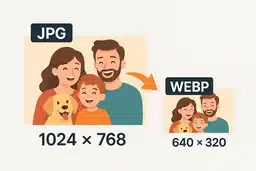
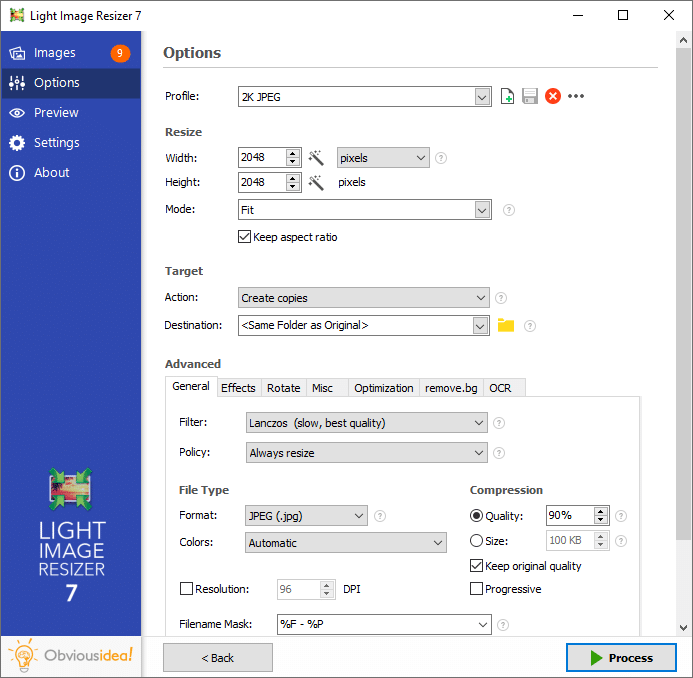
Use the Light Image Resizer to resize photos. The batch image converter can easily convert your pictures into different formats. Select your output resolution, resize the original or create a copy, move and/or rename files or compress, choose a specific destination for your processed images. You can work on individual photos or edit large numbers of images by simply doing a batch resize in just one click.
Dodatkowe funkcje

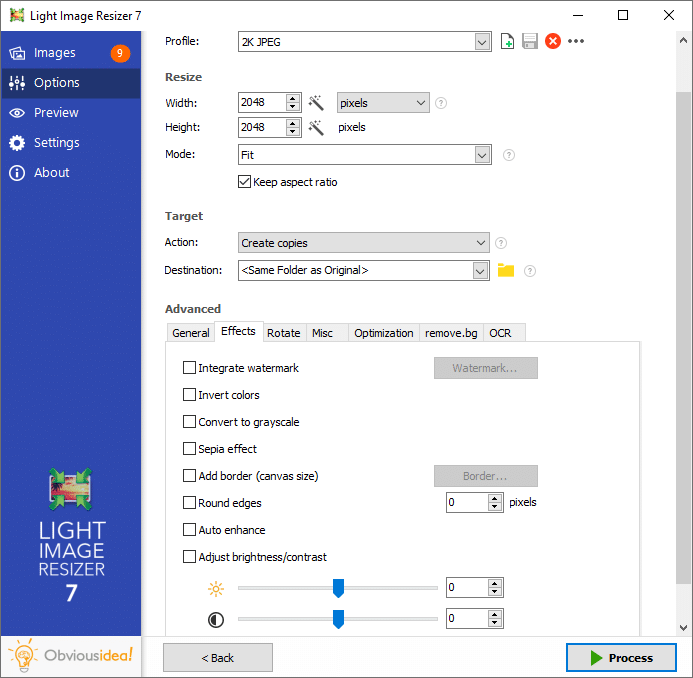
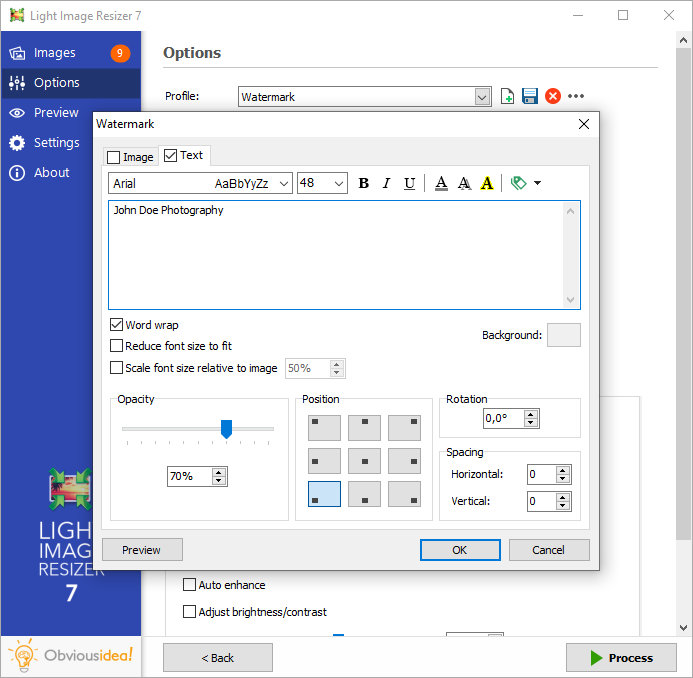
Add your own watermark to protect your work or add a copyright to photos with html-like text formatting and transparency support. Customize pictures by converting them to sepia or add a border. Use the live preview to see what the final result will look like before actually processing the image. The ObviousIdea Photo Resizer/Picture Resizer works on files, subfolders and folders, and supports RAW formats. With multi-core support integrated, you can convert images even faster. Launch the application easily from Windows shell explorer with a right click on the image or folder.
Pliki wyjściowe i eksport
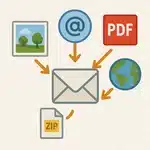
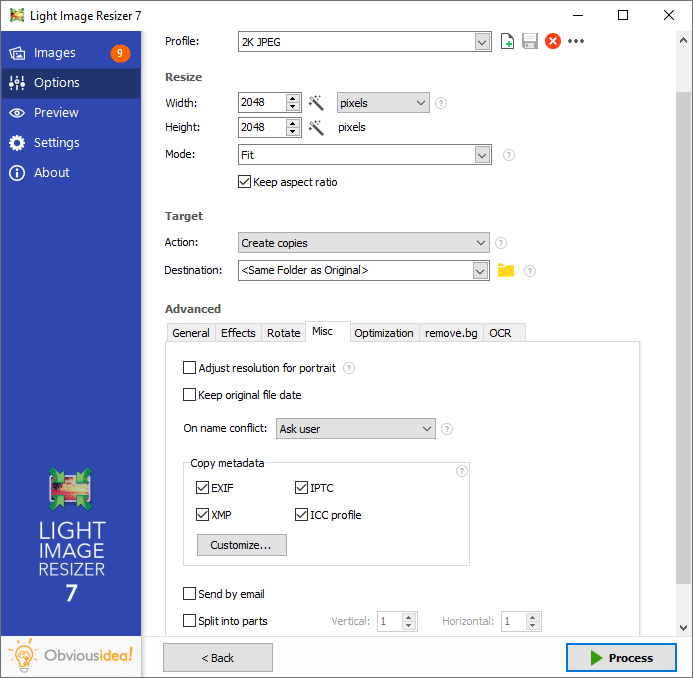
Photos can be added directly as attachments, individually or in a ZIP file, to email by using the publish function, without exceeding the maximum size permitted by email servers. Create PDF files from your images (convert JPG to PDF for example); do this for individual or multiple images. Edit, create, export, backup new profiles with your favorite settings. The most popular profiles are already pre-defined, such as 1K, 2K, Watermark, Web optimized, etc. Access to profiles in one click with the shell integration.
Układy kolaży

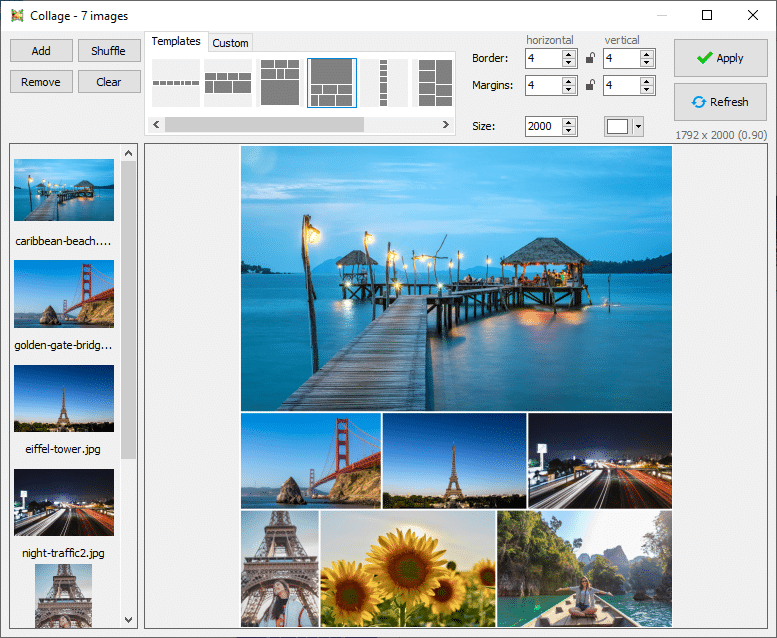
Arrange beautiful collage layouts with several pictures, only with a few clicks. Just choose your images, select a layout template, check the order, and save your collage. Perfect for sharing on social media or your blog post. Free pic collage maker included.
See how to make photo collage
Zrzuty ekranu
Obsługiwane formaty
|
Format |
Odczyt |
Zapis |
Uwagi |
|---|---|---|---|
|
JPEG (.jpg, .jpeg) |
|||
|
Bitmap (.bmp) |
with 32 bit support |
||
|
PNG (.png) |
z przezroczystością |
||
|
GIF (.gif) |
w tym animowane GIF-y |
||
|
TIFF (.tif) |
|||
|
JPEG 2000 (.jp2) |
|||
|
PDF (.pdf)c |
|||
|
Photoshop (.psd) |
|||
|
Icon (.ico) |
|||
|
WebP (.webp) |
|||
|
HEIC (.heic) |
may require free Extension from Microsoft Store: Pobierz |
||
|
Camera Raw formaty |
including Adobe Digital Negative (.dng), Canon (.cr2, .cr3, .crw), Fuji (.raf), Minolta (.mrw), Nikon (.nef), Olympus (.orf), Panasonic (.rw2), Pentax (.pef), Samsung (.srw), Sony (.arw) |
||
|
Metafile (.wmf, .emf) |
|||
|
Scalable Vector Graphics (.svg) |
|||
|
AVIF (.avif) |
Requires a free plugin: ImageMagick Plugin |
||
|
JPEG XL (.jxl) |
|||
|
JPEG XR (.jxr, .wdp, .hdp) |
|||
|
Portable PixMap (.ppm) |
|||
|
DirectDraw Surface (.dds) |
|||
|
PCX (.pcx) |
|||
|
Targa (.tga) |
|||
|
ZIP (.zip) |
processed images can be stored inside a ZIP archive (optional) |
Proszę nie krępuj się skontaktuj się z Nami if you would like a format to be added that is not currently supported by our software!
Co nowego w wersji 7
- Integracja z menu kontekstowym dla systemu Windows 11 jest już dostępna!! Kliknij obrazy prawym przyciskiem myszy w eksploratorze plików
- Teraz zawiera Light Image Editor Dzięki funkcjom takim jak dodawanie tekstu, podświetlenie, rozmycie, kształty i wiele więcej...
- In this new app coming with LIR7, you can make screenshots easily with OCR applied
- Profile zostały zresetowane przy użyciu nowych nazw, łatwiejszych w użyciu, takich jak 1k, 2k, 4k lub z docelowym rozmiarem pliku (256Kb, 1Mb, 2Mb lub wymagany rozmiar pliku) (nazwy starych profili są zmieniane LIR6_xx)
- Profile są teraz przechowywane jako pojedyncze pliki w podfolderze pod dokumentami użytkownika. Jest zsynchronizowany z kontem w chmurze OneDrive, dzięki czemu możesz korzystać ze swoich profili między komputerem stacjonarnym a laptopem.
- Wyszukiwanie przyrostowe na liście profili przez wpisanie początkowych liter
- Opcja dzielenia długich obrazów na kilka stron dla akcji Utwórz PDF (patrz zakładka PDF)
- PDF, JPEG lub dowolne zdjęcie może być źródłem dla zadania OCR (plik poboczny lub w metadanych). Dzięki temu plik JPEG można przeszukiwać według słów kluczowych w lokalnej wyszukiwarce systemu Windows.
- Wyprowadzaj/konwertuj obrazy do formatu HEIC (popularny format obsługiwany przez Apple dla iPhone'a i MacOS)
- Opcja kompresji bezstratnej dla wyjścia WebP
- Znaczniki tekstowe znaku wodnego dla oryginalnego rozmiaru, rozszerzenia i wymiarów pliku (użyj metadanych plików dla stykówki, podpisów, dokumentacji)
- Panel znaku wodnego został ulepszony, pakiet instalacyjny zawiera bezpłatną próbkę znaku wodnego z przezroczystością.
- Opcja "Dołącz" dla pól tekstowych we właściwościach metadanych
Wymagania Systemowe
Your system should meet the following minimum requirements:
- Windows 11 / 10 / 8.1 (64 or 32 bit)
- 2.0 GHz processor
- 4 GB of RAM
- 500 MB of free hard drive space
Note: There is no native version available for Mac OS, but you can use Windows emulation such as Parallels Desktop.
Najnowsza Wersja
Wersja: 7.3.0.120
Wydany: August 18th, 2025
Rozmiar: 44 MB